Step by Step HVAC Cleaning for Better Home Air Quality
Stepping into your garage on a humid Florida afternoon, you realize that cleaner air and lower bills start with your HVAC system. Improving air quality and cutting energy costs matters for every Tampa Bay homeowner, yet many overlook simple DIY cleaning steps. This guide covers proper tool selection and personal protective equipment along with key safety tips and cleaning strategies designed for the unique climate and needs of Greater Tampa Bay households.
Table of Contents
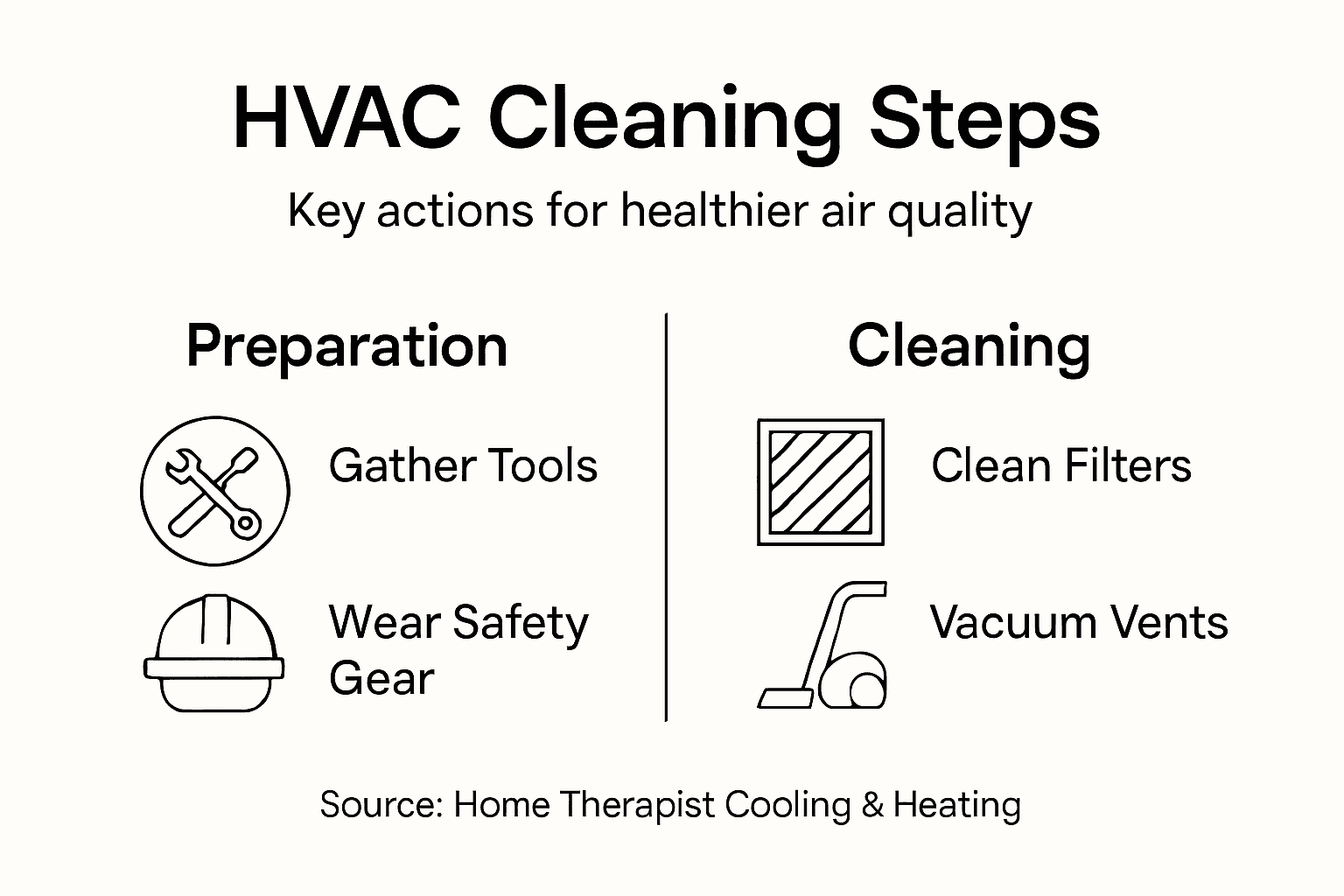
- Step 1: Gather Necessary Tools And Safety Gear
- Step 2: Shut Down The HVAC System Safely
- Step 3: Access And Clean Air Filters And Vents
- Step 4: Vacuum And Wipe Down HVAC Components
- Step 5: Inspect And Reassemble For Safe Operation
Quick Summary
| Key Point | Explanation |
|---|---|
| 1. Gather essential tools and PPE | Assemble hand tools like screwdrivers and safety gear such as gloves and goggles before starting, ensuring safety and efficiency during cleaning. |
| 2. Shut down the HVAC system properly | Turn the thermostat to OFF and disconnect power at the switch or breaker to avoid hazards while performing maintenance tasks. |
| 3. Clean air filters and vents | Regularly locate and clean or replace air filters and vents to enhance air quality, reduce allergens, and improve system efficiency. |
| 4. Vacuum and wipe down components | Remove dust from the outdoor condenser and indoor systems carefully to ensure optimal airflow and prevent future damage to HVAC components. |
| 5. Conduct a thorough inspection post-cleaning | Inspect air filters, panels, and connections before reassembling to confirm everything is secure and operating safely after maintenance. |
Step 1: Gather Necessary Tools and Safety Gear
Before you touch your HVAC system, you need to assemble the right equipment. This step sets up your entire cleaning project for success, safety, and efficiency. Having everything within arm’s reach means you won’t waste time hunting for tools mid-task or, worse, using the wrong tool because the right one isn’t available. Think of this as preparing your workspace before starting any important project.
Start by gathering your basic hand tools. You’ll need a screwdriver set (both Phillips and flathead), an adjustable wrench, a socket set, needle-nose pliers, and a fin comb for straightening AC condenser fins. A flashlight or headlamp is absolutely essential because you’ll be peering into dark spaces inside your HVAC unit. Add a vacuum with a hose attachment to your collection, along with soft-bristled brushes and a coil cleaning brush specifically designed for HVAC condensers. A fin comb looks a bit like a metal rake and is specifically made to straighten damaged fins on your outdoor condenser without causing more problems. Many homeowners in the Tampa Bay area keep these basic tools already, so you might be further along than you think.
Now for the critical part: your personal protective equipment. This is where safety stops being theoretical and becomes practical. Safety glasses protect your eyes from dust, debris, and anything that might kick up when you’re cleaning. Wear nitrile gloves to shield your hands from dirt, mold spores, and potentially sharp edges inside the unit. A dust mask or respirator is particularly important in Florida’s humid climate because mold and mildew can accumulate in your HVAC system, and you don’t want to breathe that in. Wear long pants and a long-sleeved shirt to protect your skin from sharp metal fins and any chemicals you might encounter. Closed-toe shoes with good grip are non-negotiable. Proper tool selection and appropriate PPE are critical for preventing injuries during maintenance tasks.
Here’s a summary of key HVAC safety gear and its specific function:
| Safety Gear | Function | Why It’s Important |
|---|---|---|
| Safety glasses | Shields eyes from dust and debris | Prevents eye injuries |
| Nitrile gloves | Protects hands from contaminants | Keeps hands clean, reduces cuts |
| Dust mask or respirator | Blocks mold and dust inhalation | Prevents respiratory problems |
| Long pants and sleeves | Covers skin against sharp metal edges | Reduces risk of cuts and scrapes |
| Closed-toe shoes | Provides grip, protects feet | Prevents slipping, foot injuries |
Before you start work, inspect every tool you plan to use. Look for cracks, bent metal, loose handles, or damaged cords on power tools. If a tool looks worn or damaged, don’t use it. Set those aside and either replace them or get them repaired. This is your safeguard against accidents that could derail your entire project or worse. Walk your work area and remove any obstacles, loose items, or potential tripping hazards. Clear the space around your outdoor unit so you have room to move and won’t accidentally damage any plants or outdoor furniture while you’re working.
Pro tip: Lay all your tools out on a clean towel in your work area before you start, arranged in the order you’ll use them. This saves you from making multiple trips, keeps your tools organized, and prevents you from accidentally stepping on something or losing a small tool in tall grass around your outdoor unit.
Step 2: Shut Down the HVAC System Safely
Shutting down your HVAC system properly is the foundation of safe cleaning work. You cannot begin any maintenance or cleaning task while the system is running, as it creates both electrical hazards and physical dangers from moving components. This step protects you, your equipment, and ensures you can work methodically without interruptions or unexpected system activation.
Start by locating your thermostat. Most homes in the Tampa Bay area have a simple digital or programmable thermostat mounted on a wall inside. Set the thermostat to OFF mode. Do not simply lower the temperature. Turning it to the OFF position completely stops the system from running, preventing the compressor and blower from engaging while you work. This is different from reducing the temperature, which keeps the system in standby mode and ready to fire up if the indoor temperature drops below your setting. When you switch to OFF, the system enters a true shutdown state. Take a moment to verify that you hear the system stop. You should notice the humming or whooshing sounds disappear within a few seconds. If you have a smart thermostat or a system with a separate breaker, this becomes even more straightforward.
Next, you need to address the electrical supply. This is where safety becomes non-negotiable. Locate your HVAC system’s electrical disconnect switch, which looks like a small box mounted near your outdoor unit or on the wall nearby. Flip this switch to the OFF position. This physically cuts power to the system and prevents accidental activation while you’re working. If your system doesn’t have a visible disconnect switch, you’ll need to turn off the circuit breaker that powers your HVAC system in your home’s electrical panel. Open your breaker box, locate the breaker labeled for your HVAC system (usually 30 to 60 amps), and switch it to OFF. Many homeowners don’t realize that HVAC systems must be de-energized following proper safety protocols before any maintenance work to prevent electrical shock or fire hazards. After switching off the breaker, place a piece of tape across it or have someone watch it to ensure nobody accidentally turns it back on while you’re working. Some people even leave a note on the breaker box explaining why it’s off.
One final consideration involves your home’s temperature. During Florida’s hot months, shutting down your AC even for a couple of hours can make your indoor temperature rise quickly. However, you don’t need to worry about frozen pipes or system damage from setting temperatures too low in the Tampa Bay area since freezing is rarely a concern. If you’re working in the middle of summer, plan your maintenance for early morning or late evening when outdoor temperatures are cooler. This minimizes how much indoor temperature rises while your system is offline. Open some windows if weather permits to help with air circulation. Your cleaning work typically takes one to three hours, so your home won’t reach uncomfortable temperatures in that timeframe.
Before you move to the actual cleaning, do a final safety check. Touch the outdoor unit’s metal casing to confirm it’s not hot from recent operation. Try the thermostat once more to confirm it stays off and doesn’t engage the system. Listen carefully near the breaker or disconnect switch to ensure there’s no humming sound indicating power. These small confirmations take 30 seconds and could prevent a serious accident.
Pro tip: Set a phone timer for your expected cleaning duration so you remember to restore power when you’re finished. This prevents you from accidentally leaving your system off overnight, which could cause damage in extreme temperature swings or leave your home uncomfortable for longer than necessary.
Step 3: Access and Clean Air Filters and Vents
Your air filters are the frontline defense against dust, pollen, and allergens circulating through your home. Accessing and cleaning them is one of the most impactful tasks you can do for both air quality and system efficiency. This step will show you exactly where to find these filters and how to clean them properly, improving everything from your breathing air to your energy bills.

Start by locating your main air filter. This is typically found in one of three places: in the return air duct or blower compartment of your furnace or air handler, behind a return air grill in a wall or ceiling somewhere in your home, or in a filter rack mounted on the outside of your HVAC unit. If you’re not sure where yours is located, look for a large rectangular opening with a grill or filter visible when you pull open an access panel. Your filter looks like a thick, pleated rectangle, usually white or blue, and it slides into a frame. Turn off your system if you haven’t already, then note the size printed on the edge of your filter. Write it down or take a photo because you’ll need this size later. Now gently slide the filter out of its frame. Do this slowly to avoid shaking loose dust everywhere. You’re likely to see accumulated dust on the surface, which confirms the filter is doing its job by trapping particles that would otherwise circulate through your home.
Examine your filter closely. If it’s covered in a thick layer of dust and you can barely see through it when you hold it to light, it needs replacement rather than cleaning. Some modern filters are designed for one-time use and shouldn’t be reused. However, if there’s a light to moderate dust coating and the filter structure still looks intact, you can clean it. Use your vacuum with a soft brush attachment to gently remove surface dust. Work from the clean side toward the dirty side so you’re pushing dust out rather than deeper into the filter material. Never wash a filter with water unless it’s specifically labeled as reusable and washable, which most residential filters are not. While you have the filter out, take time to inspect the area around it for visible dirt, debris, or mold growth. Clean any dust from the filter frame itself using a dry cloth or soft brush.
Now move to your return air vents and registers throughout your home. These are the grilles where air gets pulled back into your system. Inspect and clean vents throughout your home to ensure unobstructed airflow and reduce dust accumulation, which improves both efficiency and air quality. Start by vacuuming the surface of each vent with your soft brush attachment, removing dust and pet hair that accumulates on the grilles. Then use a damp cloth to wipe down the vent covers themselves. Don’t force anything or damage the dampers that might be inside. Pay special attention to returns in bedrooms, living areas, and hallways where you spend the most time. While you’re working through your home, also check your supply vents and registers where conditioned air comes out. These don’t need as thorough cleaning as returns, but a quick vacuum and wipe keeps them free of dust and improves air distribution. If you notice any visible mold or musty smell coming from a vent, that’s a sign of moisture problems that require professional attention from someone like Home Therapist.
Before you finish this step, assess whether your filter needs immediate replacement. If it’s very dirty or you can’t easily see light through it even after vacuuming, you should replace it now rather than wait. If you have an older filter that’s been in place for months, replacement is the better choice. Clean filters maintain better airflow and system performance than filters pushed to their limit.
Use this filter and vent care quick reference when cleaning:
| Item | Signs It Needs Replacement | Cleaning Method | Potential Health Impact |
|---|---|---|---|
| Air filter | Thick dust, low light passes | Vacuum or replace | Improves air quality |
| Return air vent | Dust accumulation visible | Vacuum, then damp wipe | Reduces allergen circulation |
| Supply register | Light dust buildup | Quick vacuum and wipe | Enhances airflow |
| Filter frame | Visible dirt or mold growth | Dry cloth or soft brush | Prevents mold exposure |

Pro tip: Take a photo of your filter’s size and MERV rating before removing it, then set a calendar reminder for three months from today to check it again. This simple habit prevents you from forgetting about filter maintenance and catches problems before they affect your air quality or energy efficiency.
Step 4: Vacuum and Wipe Down HVAC Components
Now comes the hands-on work that truly transforms your system’s performance. Vacuuming and wiping down the internal components of your HVAC unit removes the dust and debris that accumulates over months of operation. This cleaning directly impacts how efficiently your system runs and how clean the air flowing through your home actually is.
Start with your outdoor condenser unit if you have one. This is where most of the visible dirt collects. Using your soft-bristled brush attachment, gently vacuum around the aluminum fins, the fan blades, and all the external surfaces. Work methodically from top to bottom so gravity helps move loose debris downward. Be gentle around the fins because they bend easily and sharp creases damage the unit’s efficiency. If you see stubborn dirt caked on the fins, use your fin comb to straighten any bent sections and help dislodge debris. After vacuuming, use a slightly damp cloth to wipe down the outer casing and fan housing. Avoid spraying water directly into the unit, and never hose it down. Your goal is light cleaning, not a deep wash. Pay special attention to the area where the fan meets the housing because dust accumulates there and restricts airflow.
Next, move to your indoor air handler or furnace. Open the access panels carefully. You’ll likely see your blower motor and fan, the cooling coil if you have AC, and various ductwork connections. Use your vacuum with the soft brush attachment to gently clean around these components. Vacuuming dust from areas around the blower motor, coils, and ductwork removes accumulated buildup that impairs system function, directly improving your air quality. Start with the blower wheel itself, working carefully to vacuum dust without touching the moving parts. Then work on the coils, using your coil cleaning brush if needed for stubborn buildup. Move slowly and deliberately. Your condenser coil is delicate, and rough scrubbing causes permanent damage. Wipe down the blower housing with a damp cloth to remove any remaining dust film. Check the condensate drain pan at the bottom of the unit, and if it’s dirty or smelly, clean it out with a cloth or small brush. This pan collects water from your AC operation, and a clean pan prevents mold growth and odors.
If you can safely access any visible ductwork, vacuum those areas as well. Duck your head inside the return air duct opening if accessible and vacuum whatever you can reach. Don’t force anything or attempt to reach deep into ducts unless you’re very comfortable doing so. Many homeowners in the Tampa Bay area find that this accessible cleaning provides substantial benefit without requiring professional duct cleaning equipment. As you work through each component, look for any signs of mold, moisture damage, or corrosion. If you spot something concerning like visible mold growth or significant corrosion, that’s a signal to contact a professional. Your job is regular maintenance cleaning, not repair work.
Throughout this process, avoid touching electrical components unnecessarily. Don’t vacuum near motor bearings, capacitors, or any parts with wires. Keep moisture away from anything electrical. If you accidentally spray water near an electrical component, let it dry completely before restoring power. Once you’ve finished vacuuming and wiping, take a moment to inspect your work. The unit should look noticeably cleaner, with no visible dust layers and clear airflow paths. Replace any access panels you removed, making sure they seal properly.
Pro tip: Take photos of your HVAC components before and after cleaning so you can see the actual difference your work made. These before and after pictures also serve as documentation of your maintenance efforts, which is valuable if you ever need to reference your system’s care history or discuss it with a technician.
Step 5: Inspect and Reassemble for Safe Operation
You’re almost finished. Now comes the critical inspection phase that ensures your cleaned system operates safely and effectively. This step protects your investment and confirms that all your cleaning work actually translates into better performance. Taking time to inspect and properly reassemble everything prevents problems down the road.
Start by doing a thorough visual inspection of every component you cleaned. Look at your air filter first. If you installed a new one, confirm it’s the correct size and that it slides into the frame smoothly without gaps around the edges. A filter with gaps around the edges means dirty air bypasses the filter entirely, defeating the whole purpose. The filter should slide in and sit flush with no air gaps on any side. Check your blower motor and fan for any loose debris you might have missed during vacuuming. Shine your flashlight into tight spaces and look for dust clouds or visible accumulation. If you see significant dust still present, vacuum those spots again. Examine all access panels and covers to make sure nothing is cracked or warped. If a panel doesn’t sit properly, it creates air leaks that reduce efficiency. Check any fasteners or clips holding panels in place and ensure they’re secure but not over-tightened, which can crack plastic components. Look at your condensate drain pan and the drain line connected to it. Make sure the pan is empty and the drain opening isn’t blocked. A clogged drain causes water to back up and potentially damage your system.
Next, inspect your outdoor condenser unit. Look at the aluminum fins you cleaned earlier. They should stand upright and parallel to each other without major bends or creases. If you notice bent fins, straighten them carefully with your fin comb. Check the fan blades for any damage, cracks, or loose parts. Spin the fan by hand if it’s safe to do so to confirm it rotates freely without binding or unusual sounds. Look at all the connections where lines enter the unit, checking for any visible damage or corrosion. Pay special attention to the area where refrigerant lines connect because leaks there are serious problems requiring professional service. After cleaning, inspection includes checking filter integrity, duct sealing, and control functionality to ensure safe HVAC performance. Take a moment to verify that all panels and access covers are properly secured on the outdoor unit as well.
Now it’s time to restore power to your system. If you switched off a breaker, go back to your electrical panel and flip it back to the ON position. Listen carefully for the system to engage. You should hear the blower motor start with a low hum and sense air beginning to flow from your supply registers. If your system has a thermostat with a display, watch it for a few seconds to confirm it’s responding normally. Set your thermostat back to your desired temperature or return it to the mode you had it in before. Let the system run for about 10 minutes while you stand near several vents in your home. Feel the air quality coming from those vents. It should feel noticeably cleaner and fresher than before your cleaning. The airflow should be strong and steady without any unusual sounds from the outdoor unit.
Walk around your home and check each return air vent and supply register you cleaned earlier. Confirm that air is flowing freely from supply vents and being pulled back through return vents. If a vent feels blocked or weak, there might be an issue with how you reinstalled something. Turn on your thermostat’s fan setting to confirm the blower is working properly. If you have a cooling system, set the thermostat to cool and listen for the outdoor compressor to kick in after a minute or two. The system shouldn’t make grinding sounds, screech, or rattle. If something sounds wrong, turn it off immediately and investigate before running it further. Take note of your system’s performance. Does it feel quieter? Does the air smell fresher? These observations confirm your cleaning made a real difference.
One final check involves looking at your system’s documentation if you have it. Some HVAC systems have maintenance logs or records. If yours does, jot down today’s date and what you cleaned. This creates a record of when you performed maintenance, which is helpful if you ever need to discuss your system’s care history with a technician. If you replaced your air filter, note the size and when you installed it so you know when to check it again.
Pro tip: Run your system for at least 30 minutes after reassembly before leaving it unattended, watching for any unusual noises, smells, or performance issues that might indicate something wasn’t reassembled correctly. This brief observation period catches problems early while you’re still there to address them rather than discovering them hours later.
Keep Your HVAC System Clean and Your Home Air Fresh
Cleaning your HVAC system is essential for maintaining better air quality and system efficiency as this article highlights. From safely shutting down your unit to carefully vacuuming components and inspecting filters you have many hands-on steps to keep your home healthy and comfortable. However some challenges like spotting mold, ensuring proper filter fits and reassembling parts can be tricky without professional experience. If you want peace of mind knowing your HVAC receives expert care for lasting performance and cleaner air consider the trusted team at Home Therapist Cooling Heating and Plumbing. Explore our HVAC Archives to learn more about our comprehensive solutions.

Do not wait until your system shows signs of wear or poor air quality affects your family. Contact Home Therapist Cooling Heating and Plumbing today for professional HVAC maintenance tailored to Tampa Bay homes. Our certified technicians provide reliable service that meets your unique needs and ensures safety and efficiency. Visit us at https://callhometherapist.com and review our Case Studies Archives to see how we have helped other homeowners improve their comfort and breathe easier.
Frequently Asked Questions
What tools do I need for HVAC cleaning?
To clean your HVAC system, gather essential tools such as a screwdriver set, adjustable wrench, vacuum with a hose attachment, and soft-bristled brushes. Assemble your tools before starting to ensure efficiency and safety during the cleaning process.
How do I turn off my HVAC system safely before cleaning?
Start by setting your thermostat to the OFF position to shut down the system completely. Then locate the electrical disconnect switch or circuit breaker and switch it off to prevent any accidental activation while you work.
How do I clean the air filters in my HVAC system?
Check your air filter’s location, typically found in the return air duct or unit. If it is dirty with visible dust, vacuum it gently, or replace it if it’s too dirty, ensuring to note its size for future replacements.
What are the steps to clean the outdoor condenser unit?
Begin by vacuuming around the fins and fan blades of the outdoor condenser unit using a soft brush attachment. Wipe down the outer casing with a damp cloth, avoiding direct water spray, and straighten any bent fins with a fin comb to maintain efficiency.
How can I tell if my HVAC system is running properly after cleaning?
After cleaning, restore power and let the system run for about 10 minutes. Check for steady airflow from the vents and listen for any unusual noises; if everything sounds normal, your system is functioning properly.
How often should I perform HVAC cleaning to maintain air quality?
It’s recommended to clean your HVAC system and change air filters every 3 months for optimal air quality. Regular maintenance helps reduce dust, allergens, and energy costs significantly over time.
Recommended
- HVAC Troubleshooting Steps for Homeowners: Easy Guide – Home Therapist Cooling, Heating, and Plumbing
- 7 Essential HVAC Maintenance Checklist Tips for Homeowners – Home Therapist Cooling, Heating, and Plumbing
- Complete Guide to HVAC’s Role in Air Quality – Home Therapist Cooling, Heating, and Plumbing