

Top Ways to Reduce Cooling Costs for Tampa Bay Homes
Tampa Bay homeowners know the struggle: summer arrives, the AC runs nonstop, and utility bills skyrocket. The good news? You don’t need a complete system overhaul to see real savings. Small, strategic changes like adjusting your thermostat, upgrading to energy-efficient equipment, and controlling indoor humidity can cut cooling costs significantly. Each degree below 78°F increases cooling costs by 6-8%, so even minor tweaks add up fast. This guide walks you through proven, practical strategies tailored to Tampa Bay’s climate, helping you stay comfortable while keeping more money in your pocket.
Table of Contents
- Set your thermostat for maximum savings
- Upgrade to energy-efficient cooling systems
- Seal, insulate, and maintain for better AC performance
- Control humidity for more comfort at higher temperatures
- Combine strategies for maximum savings: An actionable summary
- Get professional help to lower your cooling costs
- Frequently asked questions
Key Takeaways
| Point | Details |
|---|---|
| Adjust thermostat wisely | Raising your thermostat by just one degree can lower cooling bills by up to 8%. |
| Upgrade for long-term savings | High-efficiency AC systems or smart thermostats can cut energy costs by up to 40%. |
| Seal and maintain your system | Regular maintenance and fixing leaks prevent wasted energy and costly bills. |
| Manage humidity for comfort | Proper humidity control lets you keep your home comfortable at a higher, less expensive temperature. |
| Combine strategies | Stacking these simple changes delivers the highest savings each month. |
Set your thermostat for maximum savings
Your thermostat is the single most powerful tool for controlling cooling costs. Setting your thermostat to 78°F or higher when home strikes the perfect balance between comfort and efficiency. When you’re away, bump it up to 82°F or higher. These settings feel comfortable in Florida’s climate, especially when paired with ceiling fans and proper humidity control.
Every degree you lower below 78°F costs you. Each degree drop increases your bill by 6-8%, which means running your AC at 72°F instead of 78°F can spike your monthly costs by 36-48%. That’s real money leaving your wallet for minimal comfort gain.
Smart thermostats take the guesswork out of scheduling. They learn your routine, adjust automatically when you leave, and let you control settings from your phone. Many Tampa Bay utilities offer rebates for smart thermostat installations, making the upgrade even more affordable. These devices can reduce cooling costs by about 10% through optimized scheduling alone.
Pro Tip: Run ceiling fans to create a wind-chill effect that makes 78°F feel like 75°F. Fans use a fraction of the energy an AC does, and they let you raise the thermostat without sacrificing comfort. Just remember to turn them off when you leave the room since they cool people, not air.
Here’s how different thermostat settings impact your monthly bill:
| Thermostat Setting | Monthly Cost (Baseline: 78°F = $150) | Annual Savings vs. 72°F |
|---|---|---|
| 72°F | $225 | $0 |
| 75°F | $188 | $444 |
| 78°F | $150 | $900 |
| 80°F | $131 | $1,128 |
Best practices for thermostat management:
- Set it to 78°F when you’re home and awake
- Raise it to 82°F or higher when you’re at work or on vacation
- Use programmable or smart features to automate these changes
- Avoid constant manual adjustments that waste energy
- Pair higher settings with fans for added comfort
For more ways to stay cool efficiently, explore essential cooling methods and learn about the thermostat’s role in savings. If you’re ready to upgrade, check out smart thermostat installation services available locally.
Upgrade to energy-efficient cooling systems
Older AC units waste energy and money. If your system is more than 10 years old, upgrading to a high-efficiency model can slash your cooling costs dramatically. The key metric to watch is SEER, which stands for Seasonal Energy Efficiency Ratio. Modern units rated at 15 SEER or higher can reduce costs by 40% compared to older 8-10 SEER systems.
Here’s what that looks like in real numbers:
| AC System Type | SEER Rating | Annual Cooling Cost | Savings vs. Old Unit |
|---|---|---|---|
| Old unit (pre-2006) | 8-10 | $1,800 | $0 |
| Standard new unit | 13-14 | $1,200 | $600 |
| High-efficiency unit | 15-18 | $1,080 | $720 |
| Premium unit | 19+ | $950 | $850 |
Tampa Bay utilities want to help you upgrade. Duke Energy and TECO offer rebates up to $1,000 for qualifying high-efficiency AC installations. These programs make the upfront cost more manageable and speed up your payback period.
Smart thermostats pair perfectly with efficient AC units. They prevent your system from running when it doesn’t need to, cutting waste and extending equipment life. The combination of a 15+ SEER unit and a smart thermostat delivers the biggest bang for your buck.
Pro Tip: Size matters more than you think. An oversized AC cools too quickly, cycles on and off constantly, and fails to remove humidity properly. An undersized unit runs nonstop and never catches up. Have a professional calculate the right size for your home’s square footage, insulation, and layout before buying.
Key upgrade considerations:
- Look for 15 SEER or higher for maximum savings
- Check local utility rebate programs before purchasing
- Combine efficient equipment with smart controls
- Ensure proper sizing through a professional load calculation
- Factor in long-term savings, not just upfront cost
Explore energy-efficient HVAC examples to see what’s available, learn more about smart thermostat installation, and discover additional energy saving tips for Tampa Bay homes.
Seal, insulate, and maintain for better AC performance
Even the most efficient AC can’t overcome leaky ducts, poor insulation, or neglected maintenance. Air leaks around windows, doors, and ductwork force your system to work harder and run longer. Sealing these gaps keeps cool air inside where it belongs.
Start with a maintenance checklist:
- Replace air filters monthly during cooling season
- Clean evaporator and condenser coils annually
- Clear condensate drains to prevent clogs and water damage
- Inspect ductwork for visible leaks or disconnections
- Check refrigerant levels and system pressures
- Test thermostat accuracy and calibration
Duct leaks are silent budget killers. Studies show that 20-30% of cooled air escapes through duct leaks in typical homes. That’s like leaving a window open while your AC runs. Professional duct sealing pays for itself quickly through lower bills and better comfort.
Oversized AC units lead to poor dehumidification, creating that clammy, uncomfortable feeling even when the temperature seems right. They also cost more to run because they cycle on and off rapidly instead of running steady, efficient cycles. Proper sizing during installation prevents this expensive problem.
Pro Tip: Schedule a professional inspection every spring before cooling season starts. A trained technician can spot issues like refrigerant leaks, failing capacitors, and dirty coils before they cause breakdowns or spike your bills. The service cost is tiny compared to emergency repairs or wasted energy.
Insulation works year-round in Florida. Attic insulation keeps heat from radiating down into your living space, reducing the load on your AC. Even adding insulation to ductwork in unconditioned spaces like attics prevents cool air from warming up before it reaches your rooms.
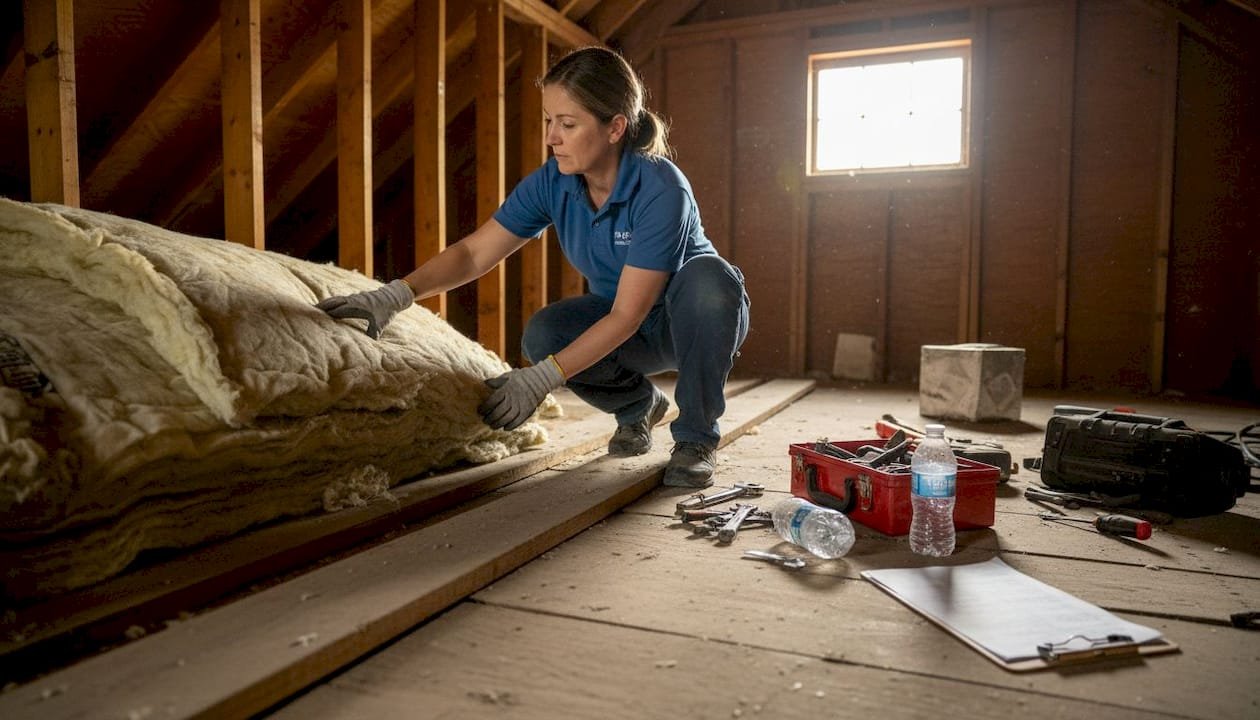
For detailed guidance on HVAC ductwork, tips for improving condenser performance, and additional maintenance strategies, check out these resources.
Control humidity for more comfort at higher temperatures
Florida’s humidity makes cooling tricky. Sticky air feels warmer than dry air at the same temperature, which tempts you to crank the thermostat lower. But there’s a smarter approach: control humidity to feel cooler at higher temperatures.
Your AC removes some moisture as it cools, but it’s not designed primarily as a dehumidifier. When humidity climbs above 60%, even 75°F feels uncomfortable. A standalone dehumidifier or a whole-home dehumidification system can keep indoor humidity between 40-50%, making 78°F feel perfectly comfortable.
Simple habits make a big difference:
- Keep windows and doors closed during humid weather
- Run exhaust fans in bathrooms and kitchens to remove moisture at the source
- Fix plumbing leaks promptly to prevent excess moisture
- Avoid line-drying laundry indoors
- Use lids on pots when cooking to trap steam
Higher humidity forces your AC to work harder even at lower temperatures. The system has to remove moisture and cool the air, doubling the workload. By managing humidity separately, you can set the thermostat higher without sacrificing comfort, cutting costs significantly.
Dehumidifiers use far less energy than running your AC colder to achieve the same comfort level. A quality dehumidifier costs $200-400 and uses about as much electricity as a light bulb, while dropping your thermostat two degrees to compensate for humidity can add $30-50 to your monthly bill.
Learn more about humidity’s role in Tampa Bay home comfort and explore passive cooling methods that work alongside humidity control.
Combine strategies for maximum savings: An actionable summary
The real magic happens when you stack these strategies together. Each tip delivers savings on its own, but combining them multiplies the impact. Here’s your action plan:
- Set your thermostat to 78°F when home, 82°F when away
- Install a smart thermostat to automate temperature adjustments
- Replace filters monthly and schedule annual professional maintenance
- Seal duct leaks and add insulation where needed
- Use ceiling fans to feel cooler at higher thermostat settings
- Control humidity with exhaust fans and a dehumidifier
- Upgrade to a 15+ SEER AC unit when your current system needs replacement
Here’s what you can save by implementing these strategies:
| Strategy | Potential Annual Savings | Implementation Cost | Payback Period |
|---|---|---|---|
| Thermostat to 78°F | $300-500 | $0 | Immediate |
| Smart thermostat | $150-200 | $200-300 | 1-2 years |
| Regular maintenance | $100-200 | $150/year | Ongoing |
| Duct sealing | $200-400 | $300-800 | 1-2 years |
| 15+ SEER AC upgrade | $600-900 | $4,000-7,000 | 5-8 years |
| Humidity control | $150-300 | $200-400 | 1-2 years |
Prioritize based on your situation. If your AC is old and inefficient, upgrading delivers the biggest long-term savings. If your system is newer, focus on thermostat settings, maintenance, and humidity control for quick wins. Smart thermostats save 10%, 15 SEER units cut costs 40%, and each degree higher saves 6-8%.
The combination approach works because each strategy addresses a different source of waste. Better equipment runs more efficiently. Smart controls prevent unnecessary operation. Proper maintenance keeps everything working at peak performance. Humidity control lets you use less cooling without sacrificing comfort.
For a comprehensive overview of all these tactics, visit our guide to energy-saving HVAC tips for Tampa Bay homeowners.
Get professional help to lower your cooling costs
You’ve learned the strategies, now it’s time to put them into action. While some tips like adjusting your thermostat are DIY-friendly, others require professional expertise to maximize savings and avoid costly mistakes.
A professional energy audit identifies exactly where your home loses cool air and wastes money. Our certified technicians use specialized equipment to find duct leaks, measure insulation effectiveness, and test your AC’s performance. We’ll show you which upgrades deliver the biggest return on investment for your specific home.
Regular professional maintenance extends your AC’s lifespan by years while keeping it running efficiently. Our tune-ups include refrigerant checks, coil cleaning, electrical testing, and performance optimization. We catch small problems before they become expensive emergencies, saving you money on repairs and energy bills.
Whether you need air handler and duct replacement, expert HVAC maintenance, or want to explore more energy-saving strategies, we’re here to help Tampa Bay homeowners stay comfortable and save money.
Frequently asked questions
Is it cheaper to keep the AC at one temperature?
No, raising the thermostat to 82°F when you’re away saves more energy than maintaining 78°F all day. The savings from reduced runtime outweigh any extra energy needed to cool back down.
Do ceiling fans reduce cooling costs?
Yes, fans make you feel cooler at higher temperatures through wind-chill effect, letting you raise the thermostat and save energy. They don’t actually lower air temperature, so turn them off in empty rooms.
How much can a smart thermostat save?
Smart thermostats typically save about 10% on cooling costs by automatically adjusting when you’re away and optimizing runtime. That’s $150-200 annually for most Tampa Bay homes.
Why does my AC run but still not feel comfortable?
Oversized AC units cause poor dehumidification, leaving air clammy even at low temperatures. They also cycle too quickly to remove moisture effectively, creating discomfort despite adequate cooling.
What should Tampa Bay homeowners do first to reduce cooling bills?
Set your thermostat to 78°F and control humidity for immediate, no-cost savings. These changes deliver the fastest results and require no equipment purchases or professional help.
About This Guide
Written and reviewed by the Home Therapist Cooling, Heating & Plumbing team, a family-owned Tampa Bay HVAC and plumbing company serving the area since 2011. Our licensed techs hold Florida HVAC license CAC1819196 and Plumbing license CFC1431159, with over 1,100 five-star reviews across Tampa, St. Petersburg, Clearwater, Wesley Chapel, Lutz, Riverview, Brandon, Valrico, Apollo Beach, Palm Harbor, Land O’ Lakes, Plant City, New Port Richey, and surrounding Tampa Bay zip codes.
Honest pricing: $279 labor minimum. Upfront quotes, no high-pressure sales, no surprise fees.
Questions about your home? Call (813) 343-2212 for a real tech, or request a callback. Available 7 days a week including evenings and weekends for emergencies.
Recommended
- Essential Home Cooling Methods 2025 for Tampa Homeowners
- Energy Saving HVAC Tips for Lower Tampa Bay Home Bills
- What is passive cooling? Cut Tampa Bay energy costs 30%
- How to Choose HVAC System for Tampa Bay Homes Easily Home Therapist Cooling, Heating, and Plumbing
- 7 Cheap Ways to Cool Your Home Naturally and Easily – HVAC Service and Repair | Louisville, KY | Project Heating & Cooling
More Related Articles
- 7 Proven Ways to Prevent Mold in Your HVAC System
- What Is a High-efficiency Furnace? Save Energy at Home
- Prepare AC for Summer Tampa: The Pre-June Checklist
- Failed Disconnect Switch on 91st Ave N: AC Repair + Thermostat Reset in St. Petersburg, FL 33702
- Air Conditioner Installation Repair Tampa FL Bay FL Services Review from Bonnie Wakefield


