
Honeywell T4 Thermostat Installation Guide from Tampa Techs
Quick answer: In Tampa, swapping an old Honeywell 5000 for a new Honeywell T4 thermostat is a straightforward job for a licensed tech, especially on a heat pump system with a common wire already run. Our crew filmed a full install showing the breaker shutoff, wiring check against code, back plate mount, and the installer setup menu including heat pump and filter reminder settings. Home Therapist Cooling, Heating and Plumbing offers free diagnosis and free estimates on thermostat and AC service calls across Tampa Bay.
On this page: What is a Honeywell T4 thermostat · What did our tech find during this Tampa thermostat swap · Does a Honeywell T4 thermostat need a common wire · What does the orange wire mean on a heat pump thermostat · How much does thermostat installation cost in Tampa · How do you get through the Honeywell T4 installer setup menu · Can you install a Honeywell T4 thermostat yourself · When should you call a professional about your thermostat or AC · FAQ
What is a Honeywell T4 thermostat?
The Honeywell T4 is a programmable thermostat built to replace older Honeywell models like the 5000 series, with a cleaner digital display and a simpler menu than the old screw terminal units. It works on both heat pump and straight cool conventional systems, and it can run on batteries or off a common wire pulled directly from the air handler.
We service a lot of Tampa Bay homes still running an old Honeywell 5000 or a similar basic digital thermostat from years back. The T4 is a natural upgrade because it uses the same wiring layout, R, Y, G, C, W, and O/B, so in most cases the swap does not require running any new wire. That is exactly what we ran into on a recent T4 install we filmed, an old Honeywell 5000 coming out, a T4 going in, same terminals, same holes in the wall.
One thing homeowners ask is whether the T4 counts as a smart thermostat. It does not connect to Wi-Fi or an app. It is a programmable thermostat, meaning you can set schedules for weekdays and weekends if you want, but you cannot control it remotely from your phone or through a smart speaker. If you want app control, you are looking at a different category of thermostat, and that is a separate conversation from what the T4 offers.
The T4 uses the same installer setup menu structure Honeywell has used across its residential line for years, which is why a tech who knows the codes can get through setup in a few minutes using the plus and minus buttons and the menu button. For homeowners without HVAC background, this menu can be confusing, especially the heat pump specific codes, which is one reason people call a licensed tech instead of guessing at settings that control how the compressor and reversing valve behave.
| Old thermostat | Honeywell 5000 series |
| New thermostat | Honeywell T4 programmable |
| System type | Heat pump, confirmed by orange O/B wire and reversing valve in condenser |
| Air handler breaker | 50 amp |
| Condenser breaker | 20 amp |
| Common wire | Present, blue wire landed on C terminal |
| Wiring check | Confirmed connected to code before old thermostat was removed |
| Setup method | Installer setup codes worked through using the T4 manual |
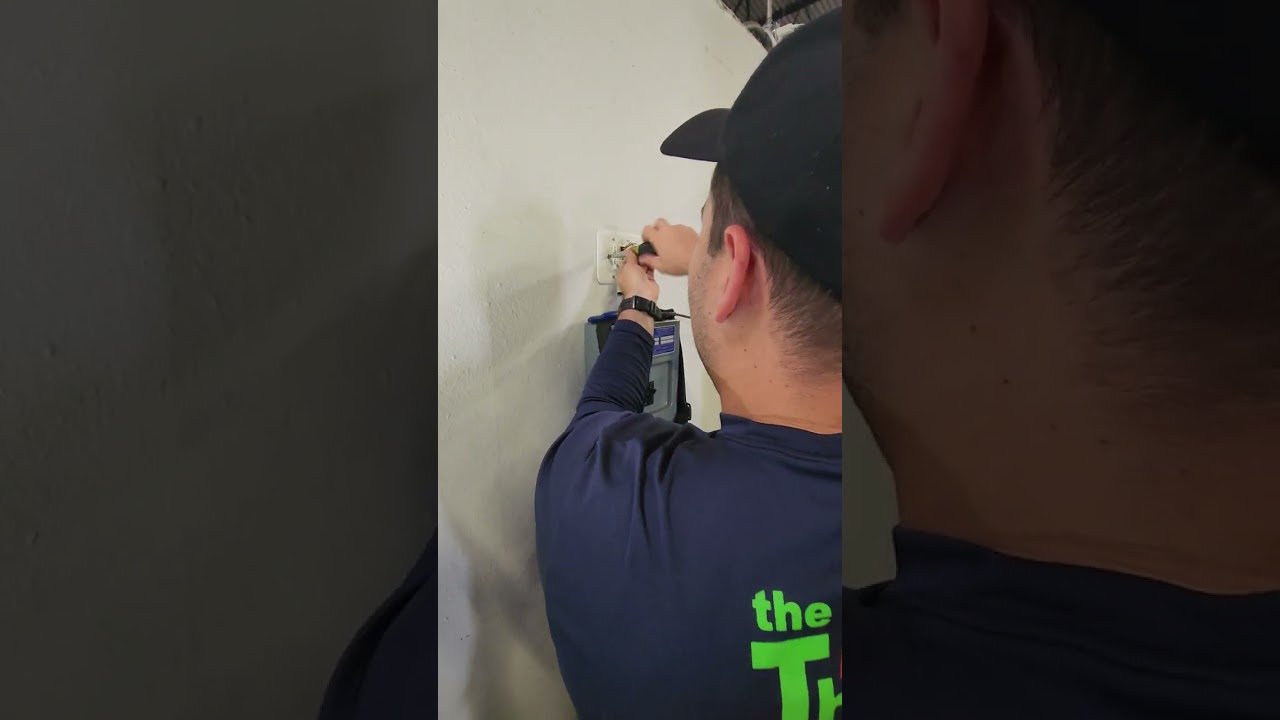
What the video shows
- 0:00 Old Honeywell 5000 comes out, new Honeywell T4 goes in
- 2:15 Breaker shut off confirms the thermostat runs on a common wire, not batteries
- 6:40 Wiring checked against code before any wires are disconnected
- 12:30 New back plate mounted, existing wall holes reused
- 18:00 R, Y, G, C, W, and O/B wires landed on the new T4
- 24:50 Installer setup menu walkthrough covering heat pump codes, filter reminders, and a live system test
What did our tech find during this Tampa thermostat swap?
For this video we walked through a real Honeywell 5000 to Honeywell T4 swap, wired exactly like a heat pump system out in the field, so we could show every step start to finish without a clock running on a live call.
First step was always killing power at the panel. In this case there was a 50 amp breaker feeding the air handler and a 20 amp breaker feeding the condenser unit, and we only needed to cut power to the air handler side. When we did, the old thermostat screen went completely dark. That told us something useful right away, the thermostat was being powered by a common wire straight from the unit, not batteries. If it had batteries, the screen would have stayed lit. That is a good sign for any future smart thermostat install too, since smart thermostats generally need a C wire.
Before pulling anything apart, we checked the low voltage wiring against code. Red was on R, yellow on Y, the blue common wire was on C, orange was on the O/B terminal, green was on G, and white was on the auxiliary heat terminal. Seeing the orange wire told us this was a heat pump system before we even opened the condenser cabinet. Because everything was landed correctly, we could pull the old wires off one at a time and land them on the new T4 in the same order with no guessing.
We mounted the new back plate, which is a nice feature on newer Honeywell units because it covers up any old paint outline left behind from the previous thermostat. We reused the existing wall holes, trimmed the wire ends fresh so there was no stray copper that could short against another terminal, and pushed each wire into the T4’s quick connect terminals. Once the faceplate snapped on, we restored power, walked through the date and time setup, then went into the installer setup menu to confirm the heat pump and system settings matched the actual equipment.
| Likely cause | Telltale sign | Safe to DIY? |
|---|---|---|
| Old thermostat running on corroded batteries | Screen stays lit even after the breaker is shut off | Yes, check and replace batteries first |
| No common wire available for a new smart thermostat | New thermostat will not power on or keeps resetting | No, needs a tech to add a C wire or adapter |
| O/B wire miswired on a heat pump system | System blows warm air when set to cool or vice versa | No, requires checking wiring against code |
| Wrong heat pump setting in installer menu | System short cycles or will not switch modes properly | No, follow the manual closely or call a tech |
| Tripped breaker at the panel | Thermostat screen and air handler both completely dead | Yes, check the breaker panel first |
| Compressor protection delay set too short or ignored | Compressor tries to restart immediately and hums or trips | No, best set by a tech during installer setup |
| Dirty or overdue air filter | Weak airflow, longer run times, uneven cooling | Yes, replace filter on a 30 day schedule |
Does a Honeywell T4 thermostat need a common wire?
No, the Honeywell T4 can run on batteries, but a common wire is strongly recommended and it is what we prefer to use any time it is already available.
The common wire, or C wire, provides constant low voltage power to the thermostat straight from the air handler or furnace transformer. Without it, the thermostat runs on batteries instead. Batteries work fine for a while, but they eventually leak or corrode, and that corrosion can damage the internal circuit board of the thermostat itself. On the job we filmed, the old thermostat had a C wire already run and landed on the blue wire, so there was no reason to fall back on batteries even though the new T4 came with a set in the box.
You can check for a C wire yourself before calling anyone. Shut off the breaker feeding the air handler and watch the thermostat screen. If the screen goes completely dark, the thermostat was being powered by the C wire, not batteries, and a replacement thermostat can be wired the same way. If the screen stays lit after the breaker is off, it is running on batteries and there is no C wire currently landed at the thermostat, even if one exists inside the wall.
Homes without a C wire are not stuck. There are a few ways to add one, including running a new low voltage wire between the air handler and the thermostat location, or using a small adapter module at the air handler in some setups. This matters more on smart thermostats than on a basic programmable unit like the T4, since smart thermostats draw more constant power for their display and Wi-Fi radio and are far less tolerant of running on batteries long term. If you are unsure whether your home has a usable C wire, that is a quick thing for a licensed tech to check during a free diagnosis visit.
What does the orange wire mean on a heat pump thermostat?
An orange wire landed on the O/B terminal tells you the system is a heat pump, because that wire controls the reversing valve that switches the unit between heating and cooling.
On the job we filmed, the orange wire was already landed on the O/B terminal at the old thermostat, which was the first clue this was a heat pump system rather than a straight cool system with electric strip heat only. We confirmed it a second way by opening the condenser cabinet and looking for the reversing valve, a brass colored component with several copper lines running into it. Seeing that valve in the cabinet backs up what the wiring already told us.
This matters during setup because the thermostat has to be told which way the reversing valve is energized. Most manufacturers use a valve that is energized, meaning powered, when the system is in cooling mode. Rheem and some other brands in that family use the opposite logic, with the valve energized in heating mode instead. Get this setting backwards and the system will run in reverse, blowing warm air when you call for cooling and vice versa. It will not damage the equipment right away, but it is confusing for a homeowner who thinks the AC is broken when really the thermostat is just telling the reversing valve to do the opposite of what it should.
Because Home Therapist Cooling, Heating and Plumbing installs Goodman and Daikin equipment, and services heat pumps from every major brand across Tampa Bay, our techs are used to checking both the wiring and the physical valve before trusting any thermostat setting blindly. If you ever have a heat pump system blowing the wrong temperature air after a thermostat swap, this reversing valve logic is one of the first things worth checking, and it is not something we would recommend a homeowner try to diagnose alone.
How much does thermostat installation cost in Tampa?
A straightforward thermostat swap, where the wiring already matches and no new wire runs are needed, tends to be one of the more affordable HVAC service calls, and we always start with a free diagnosis and a free estimate before any work begins.
What drives the price up or down is mostly the condition of the existing wiring and the type of system. A like for like swap, such as the Honeywell 5000 to Honeywell T4 job we filmed, is quick because the old wiring was already landed correctly on R, Y, G, C, W, and O/B, the wall holes could be reused, and no new wire needed to be pulled. Jobs get more involved when there is no common wire and one needs to be added, when the existing wiring was not landed to code and needs to be corrected, or when a homeowner wants to upgrade to a smart thermostat that requires extra accessories or a different mounting setup.
Heat pump systems also add a step that straight cool systems do not need, confirming the reversing valve logic in the installer menu and matching it to the actual equipment in the condenser. Getting this wrong does not cost more money upfront, but it can cause callbacks and comfort complaints if it is missed, which is part of why we always verify settings against the physical unit rather than assuming.
We do not publish a flat price for thermostat work because every home’s wiring is a little different, and quoting blind over the phone is how homeowners end up surprised. Instead, a tech comes out, looks at the existing wiring, confirms whether a C wire is present, and gives a firm price before touching anything. If your thermostat call turns into a bigger conversation about your AC system’s age or performance, our air conditioning page covers the full range of AC services we handle across Tampa Bay, from repairs to full system replacement.
How do you get through the Honeywell T4 installer setup menu?
You get into the T4 installer setup by holding the menu and plus buttons together for a few seconds, then working through a series of numbered codes that control how the thermostat talks to your system.
After the date and time are set, the installer menu starts with scheduling options, choosing whether the thermostat is non-programmable, has the same schedule Monday through Friday with a different weekend schedule, or a fully separate schedule for all seven days. We often set units to non-programmable for homeowners who are not comfortable with scheduling, since a programming mistake can change the temperature without the homeowner realizing it, and that gets mistaken for a broken system.
The next setting picks Fahrenheit or Celsius, which for Florida is always Fahrenheit. Then comes the setting that matters most, telling the thermostat whether the system is a heat pump or a conventional system. Get this wrong and the whole setup falls apart. If it is a heat pump, the next code asks whether it is air to air or geothermal, and in Florida it is almost always air to air. Right after that comes the reversing valve logic we covered earlier, standard energized in cool for most brands, or energized in heat for Rheem and similar units.
From there the remaining codes cover compressor stages, manual or automatic changeover between heat and cool, compressor cycle rate, and a compressor protection delay, which we like to see set somewhere between three and five minutes so the compressor is not asked to restart too quickly after shutting off. Further down the menu are minimum and maximum setpoint limits, an optional lock code so kids or guests cannot mess with settings, and a filter reminder that can be set to remind the homeowner every 30 days, which is the general rule of thumb we recommend for a standard residential filter. The last few codes cover backlight behavior, 12 versus 24 hour clock, daylight saving time, and a temperature display offset, which we always leave at zero so the thermostat reports exactly what it is sensing.
Can you install a Honeywell T4 thermostat yourself?
A simple like for like swap is within reach for a handy homeowner, but there are enough ways to get it wrong on a heat pump system that we generally recommend having a licensed tech handle it.
The physical part of the install is not complicated. Power gets shut off at the breaker, the old thermostat pulls off the wall gently so the wires do not get yanked out of the wall, and the new back plate goes on using the existing screw holes in most cases. Where people run into trouble is the wiring itself. If the previous thermostat was not wired to code, an installer who does not check first can end up landing the auxiliary heat wire where the reversing valve wire should be, or vice versa, and not notice until the system is running backwards.
Another common mistake is reusing old, worn wire ends instead of cutting back to fresh copper. Wire that has been bent and connected several times gets brittle, and any bare strands showing past the terminal can touch another wire and cause a short. On the job we filmed, we cut back to a clean end on every wire before landing it on the new T4, even though the existing wire looked fine, just to be safe.
The other risk area is the installer setup menu itself. Getting the heat pump setting or the reversing valve logic wrong will not fry anything, but it will leave you with a system blowing the wrong temperature air, and most homeowners assume that means the AC unit is broken rather than the thermostat setting. If you are comfortable with a screwdriver and want to try it, checking your existing wiring against code before you disconnect anything, and keeping the manual open to the installer setup section, will get you most of the way there. If you would rather not risk a miswired heat pump system, a service call gets it done right the first time with a free diagnosis included.
When should you call a professional about your thermostat or AC?
Call a professional when your system will not cycle on, when you find no common wire behind an existing thermostat, or when you are not confident reading the heat pump settings in the installer menu.
Tampa Bay homes lean heavily on heat pump systems, since our winters are mild enough that a heat pump handles both heating and cooling most of the year. That means the reversing valve logic we covered earlier is relevant to a huge share of homes in this area, not a rare edge case. If your AC is blowing warm air when set to cool, or the system seems to run backwards after any thermostat change, that reversing valve setting is one of the first things worth checking, and it is quick for a licensed tech to confirm.
A tripped breaker is the simplest thing to rule out yourself. If the thermostat screen is completely dark and nothing at the air handler or condenser is running, check the breaker panel before assuming the thermostat itself failed. Beyond that, general maintenance goes a long way toward avoiding surprise breakdowns in Florida’s heat and humidity. Replacing your air filter roughly every 30 days, or more often if you have pets or the filter sits low to the ground, keeps airflow steady and reduces strain on the system, which is exactly why the T4’s filter reminder feature defaults to a 30 day cycle.
As for how long a thermostat itself should last, a well wired unit with a stable C wire connection typically holds up for many years of normal use, since it is not fighting battery corrosion or power interruptions. If your current thermostat is old, unresponsive, or you are just not sure whether your system is wired to code, Home Therapist Cooling, Heating and Plumbing offers free diagnosis and free estimates on thermostat and AC calls throughout Tampa Bay. For anything beyond the thermostat itself, our air conditioning services page covers repair, maintenance, and replacement options for your full system.
For general guidance that lines up with what we do on a service call, see the U.S. Department of Energy and ENERGY STAR maintenance guidance.
Frequently asked questions
- Can I install a Honeywell thermostat myself?
Yes, most homeowners can swap a like-for-like thermostat themselves if the wiring is standard and the system is a simple single-stage heat or cool setup. However, if your system has more than five wires, a heat pump, or you are unsure which wire is the common (C) wire, a licensed HVAC technician can complete the install safely and ensure the system communicates correctly with your equipment.
- Did Honeywell discontinue the T4 thermostat?
Availability changes by retailer and model, so check the current Honeywell Home listing or a local supply store before you buy. If a T4 is hard to find, a Wi-Fi or programmable thermostat that matches your system's wiring works. We install Ecobee, Nest and others, and the FREE estimate covers the options.
- What wires go where on a Honeywell thermostat?
Each wire goes to the terminal with its matching letter: R to R (or Rc), W to W, Y to Y, G to G, and C to C. Wire colors are common but not guaranteed, so follow the letters on the old thermostat's terminals and your photo, not the colors. Heat pumps use O/B terminals, so check before moving wires.
- Is Honeywell T4 a two-stage thermostat?
No. The T4 is a basic programmable thermostat for single-stage heating and cooling systems, which is what many Tampa Bay homes have. A two-stage or variable-speed system needs a thermostat built for multiple stages. Check your equipment's model and wiring before buying, or have us confirm it during a FREE diagnosis.
- Can you install a Honeywell thermostat yourself?
Yes, many homeowners can swap a basic low-voltage Honeywell thermostat themselves. Turn off power at the breaker first, photograph and label the old wires, and match them to the same terminal letters. If the wiring is unclear, there is no C wire, or the system is a heat pump, call a licensed tech. Our diagnosis is FREE.
Is the Honeywell T4 thermostat discontinued?
As of now the T4 remains an active part of Honeywell's residential lineup and it's a model we regularly install as a replacement for older Honeywell thermostats. Manufacturers do update model lineups over time, so it's worth checking current availability with a licensed installer if you are shopping for one.
How do I program my Honeywell T4 thermostat?
After power is restored you set the date and time, then hold the menu and plus buttons together for a few seconds to reach the installer setup menu, where you step through numbered codes for scheduling, system type, and heat pump settings. Most homeowners are better off having a tech set this up once during installation rather than reprogramming it themselves later.
What is the lifespan of a T4 thermostat?
As general industry knowledge, a thermostat wired to a stable common wire connection typically lasts many years of normal use, since it is not relying on batteries that can corrode over time. Units running on batteries alone tend to have more issues over the long run because of leakage and corrosion inside the unit.
Is the Honeywell T4 a smart thermostat?
No, the T4 is a programmable thermostat, not a smart thermostat. It does not connect to Wi-Fi or an app, though it can still run weekday and weekend schedules through its onboard programming.
Does a Honeywell T4 need a C wire to work?
It can run on batteries, but a common wire is strongly recommended and is what we use whenever it is already available, since it avoids battery corrosion issues down the road.
How much does it cost to have a Honeywell T4 installed in Tampa?
It depends on your existing wiring, a straightforward like for like swap is quick and affordable, while adding a common wire or correcting old wiring adds time. We give a free diagnosis and free estimate before starting any work.
Can I install a Honeywell T4 thermostat myself?
A simple swap with existing wiring that matches code is doable for a handy homeowner, but heat pump systems have wiring and setup steps that are easy to get backwards, so many homeowners choose to have a licensed tech handle it.
What's different about the Honeywell T4 compared to an old Honeywell 5000?
The T4 uses push in quick connect wiring terminals instead of small screw terminals, and it comes with a back plate that covers up any old paint marks left behind from the previous thermostat, giving a cleaner finished look on the wall.
Want the raw footage and full transcript? Watch the original video and read the transcript.
Key takeaways
- The Honeywell T4 is a programmable thermostat, not a smart Wi-Fi thermostat, and it uses the same wiring layout as older Honeywell models like the 5000 series.
- Checking the wiring against code before removing an old thermostat, and confirming heat pump settings against the physical reversing valve, prevents a system from running backwards after a swap.
- A common wire is not required for the T4 but is strongly preferred over batteries, which can corrode and damage the thermostat over time.
- Correct installer setup, including heat pump type and reversing valve logic, matters more in Tampa Bay than many other regions since most local systems are heat pumps.
- Home Therapist Cooling, Heating and Plumbing offers free diagnosis and free estimates on thermostat and AC calls across Tampa Bay, with licensed techs who service all brands.
Need help in Tampa? See our thermostat installation in Tampa, or all of our air conditioning services across Tampa Bay.
Home Therapist Cooling, Heating, and Plumbing is the local Tampa Bay team for thermostat installation in Tampa and across the bay. We answer the phone fast, give FREE estimates and a FREE diagnosis on service calls, carry common parts on every van, and stand behind the work with real warranties. We service every brand and install Goodman and Daikin systems. Licensed HVAC CAC1819196 and plumbing CFC1431159.
Call (813) 343-2212 or book thermostat installation in Tampa.
More Thermostat & Controls Articles


