
Smart Thermostat Benefits Explained by a Tampa AC Tech
Quick answer: Yes, a smart thermostat is worth it for most Tampa homes. On a recent Tampa call, our tech walked a family through Google Nest, Ecobee, and Honeywell options, showing how phone control from bed or the office, simple setup, and energy usage reports can cut cooling costs during Florida's long AC season. Most homeowners see the upgrade pay for itself within a season or two.
On this page: What are the real benefits of a smart thermostat · What did we find on this Tampa call · How does a smart thermostat save energy and money · How do Nest, Ecobee, and Honeywell smart thermostats compare · How much does smart thermostat installation cost in Tampa · What should you check before installing a smart thermostat yourself · What common problems come up with smart thermostats in Florida homes · Is a smart thermostat right for your Tampa home · FAQ
What are the real benefits of a smart thermostat?
The real benefit is control and information you did not have before, not just a fancier screen on the wall. A smart thermostat lets you change your Tampa home’s temperature from your phone, whether you are still in bed, stuck at work, or on your way back from the beach. No more walking to the hallway to bump the AC up or down.
Beyond remote access, these units are built for people who are not technical. Setup walks you through connecting to your home Wi-Fi, picking a schedule, and pairing with your AC system, and most homeowners are up and running the same day without calling a tech back out. That ease of use is a big reason adoption has grown so fast in the last several years.
The bigger payoff shows up over time. A smart thermostat watches your patterns, when you leave for work, when you get home, when the house sits empty, and adjusts the AC run time around that instead of running a fixed schedule all day. In a Tampa summer, where the AC can run most of the daylight hours, trimming even an hour or two of unnecessary cooling adds up on the electric bill.
You also get visibility you never had with a basic dial or a simple digital thermostat. Most smart thermostats show you energy usage reports, how many hours the system ran, and sometimes how that compares to previous months. That data helps you catch a problem early, like a system running way more than normal, which can be the first sign of a refrigerant issue, a dirty coil, or a failing capacitor before it turns into a full breakdown.
- Remote temperature control from anywhere with a phone signal
- Simple setup that does not require an electrician for most homes
- Learning schedules that reduce AC run time automatically
- Usage reports that flag when something is running abnormally
| Service type | Smart thermostat installation and homeowner walkthrough |
| Thermostat brands discussed | Google Nest, Ecobee, Honeywell |
| Main feature demonstrated | Remote temperature control from a phone, from bed or before leaving work |
| Setup difficulty noted | Straightforward, no tech experience required |
| Additional feature highlighted | Energy usage insights and consumption reports |
| Learning behavior noted | Thermostat learns household patterns to optimize AC usage |
| Video format | 60 second short filmed for social media |
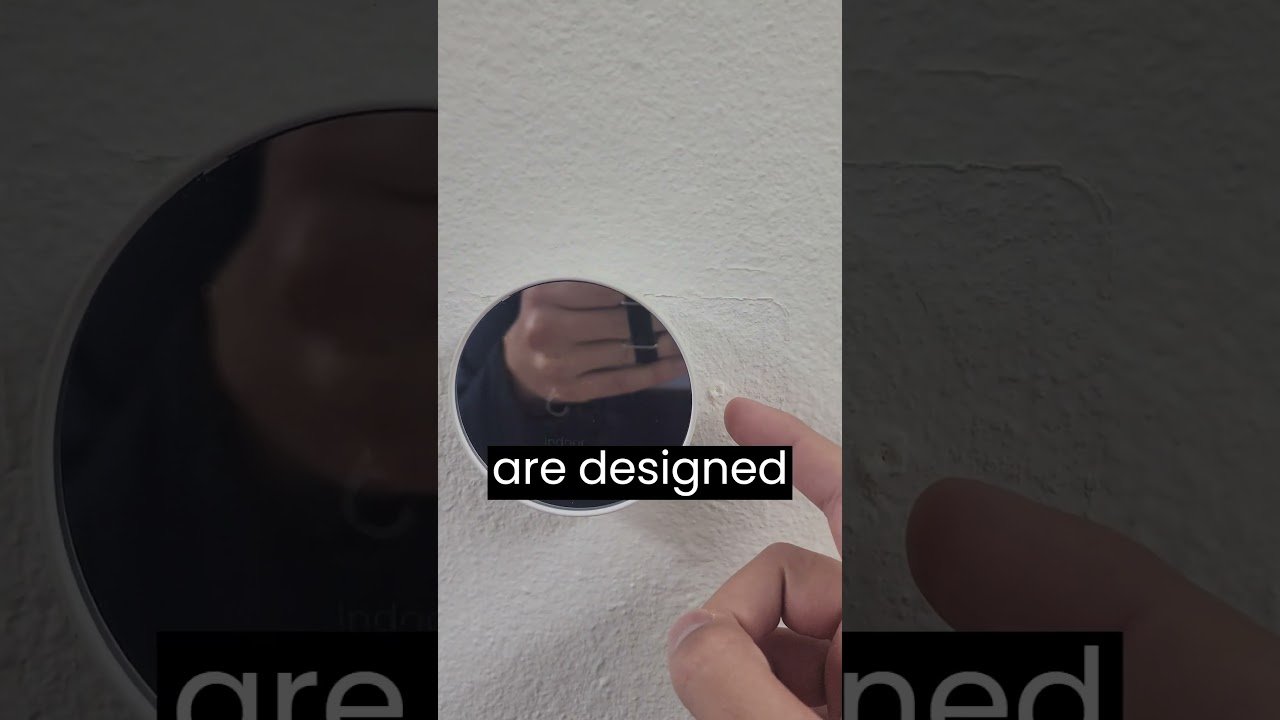
What the video shows
- 0:00 Tech opens on the hassle of constantly adjusting a manual thermostat
- 0:10 Explains remote AC control from a phone, from bed or before leaving work
- 0:22 Points out setup is simple even without tech experience
- 0:35 Covers how the thermostat learns patterns to optimize AC usage and save money
- 0:47 Highlights energy usage insights for smarter decisions
- 0:53 Names Google Nest, Ecobee, and Honeywell as options to fit different homes
What did we find on this Tampa call?
We filmed this job because it is the exact conversation we have with Tampa homeowners almost every week. The family had been manually adjusting their old thermostat multiple times a day, bumping it down before bed, up before work, and back down when they got home, and it was getting old fast.
Our tech walked them through what a smart thermostat actually changes day to day. Instead of getting up to touch the wall unit, they can adjust the AC from bed or set it to cool the house down before they even leave the office. That single change is usually what sells people, the convenience of not thinking about the thermostat at all.
We also spent time showing that the setup itself is not intimidating. A lot of homeowners assume a smart thermostat is a project for someone tech savvy, but the interface is built to fit into a normal routine. Once it is mounted and connected, most people are comfortable using it within a few minutes.
What we emphasized on this call, and what we tell every Tampa customer, is that the savings come from the learning behavior, not just the app. The thermostat starts recognizing the household’s patterns and adjusts AC usage to avoid cooling an empty house at full blast. We also pointed them toward the energy insight reports built into most modern units, since that data gives homeowners a way to make informed decisions about their AC use instead of guessing.
We talked through three brands on this call, Google Nest, Ecobee, and Honeywell, since each fits a slightly different household. We install thermostats to match the home and the existing system rather than pushing one brand for every job, and that is the approach we walked this family through before they made a decision.
| Likely cause | Telltale sign | Safe to DIY? |
|---|---|---|
| Missing C-wire behind old thermostat | Smart thermostat screen is blank, flickers, or will not power on | No, needs a tech or adapter |
| Thermostat mounted in direct sun or near a supply vent | AC short cycles or house feels wrong temperature despite thermostat reading | Yes, can relocate with power off |
| Weak Wi-Fi signal at thermostat location | App shows offline or loses connection intermittently | Yes, extender or router placement fix |
| Smart thermostat staging mismatched to a single-stage AC | System turns on and off more frequently than normal | No, needs tech to reconfigure settings |
| Home internet outage | Remote app control stops working but thermostat still runs the AC locally | Yes, no action needed, restores itself |
| Incompatible wiring with multi-stage or heat pump system | Thermostat installs but AC does not respond correctly to settings | No, needs wiring diagnosis |
How does a smart thermostat save energy and money?
It saves money by cutting the hours your AC runs unnecessarily, which matters more in Tampa than almost anywhere else in the country because of how long our cooling season runs. A programmable or smart thermostat that learns your actual schedule will stop cooling an empty house to the same temperature you want when you are home.
Most of the savings come from a few specific behaviors. The thermostat learns when the house is typically unoccupied and lets the temperature drift up a few degrees during those hours, then brings it back down before you return. It also tracks how quickly your specific home cools, so it starts the AC at the right time instead of running it longer than needed to hit your set temperature.
The usage reports matter here too. When you can see that your system ran significantly more hours this week than last week with no change in weather, that is useful information. It might mean a dirty filter, a thermostat placed somewhere it is reading heat wrong, or an AC system that is starting to struggle. Homeowners without that data usually do not notice a slow decline in efficiency until the electric bill jumps or the system fails outright.
In a humid climate like Tampa, there is a secondary benefit worth mentioning. Many smart thermostats also help manage humidity indirectly by running the fan and compressor more efficiently, which keeps the home from feeling clammy even at a slightly higher set temperature. That means some homeowners can raise their thermostat setting by a degree or two without losing comfort, which is a direct energy savings on top of the scheduling benefits.
None of this replaces basic AC maintenance. A smart thermostat paired with a neglected system will still show wasted energy, it will just be easier to catch. The thermostat is a tool for visibility and control, not a substitute for a properly maintained AC unit.
How do Nest, Ecobee, and Honeywell smart thermostats compare?
Each of the three brands we discussed on this Tampa call has a different strength, and the right pick depends on the home and how the household actually uses the AC. None of these is a bad choice, they just fit different situations.
Google Nest is generally known for its learning algorithm. It pays close attention to how you adjust the temperature manually in the first couple of weeks and builds a schedule around that behavior automatically, with little manual programming needed. Homeowners who do not want to sit down and build a schedule tend to like this hands-off approach.
Ecobee is generally recognized for room sensors that can be placed in different parts of the house. This matters in homes with a room that runs hotter or colder than the rest, a common issue in Tampa homes with a lot of west facing windows or a bonus room over the garage. The sensors let the system average temperature across rooms instead of only reading where the thermostat sits on the wall.
Honeywell tends to offer a wider range of models, from basic Wi-Fi thermostats up through full smart models with similar learning and remote features to Nest and Ecobee. That range makes Honeywell a common pick for homeowners who want smart features without necessarily paying for the top tier model.
As a general rule across the industry, compatibility is the bigger question than brand preference. Multi-stage AC systems, heat pumps, and systems without a dedicated C-wire for power all have different requirements, and not every smart thermostat works the same way with every system.
- Nest: strong automatic learning, minimal manual setup
- Ecobee: room sensors for homes with uneven temperatures
- Honeywell: wide range of models at different price points
We service and install thermostats across all these brands and match the unit to the home’s existing AC system rather than pushing one option for every job.
How much does smart thermostat installation cost in Tampa?
The thermostat itself is generally the biggest cost, with basic smart models on the lower end and full featured units with room sensors or advanced learning on the higher end, based on general industry pricing you will see at any major retailer. Installation cost on top of that depends on what is already in the wall.
If your home has a working C-wire and a straightforward single-stage AC system, installation is usually quick. If the home does not have a C-wire, which is common in older Tampa Bay houses, or the system is multi-stage or a heat pump, installation takes longer because the tech has to confirm wiring compatibility and sometimes run an adapter or add a wire before the thermostat will work correctly.
We offer a free estimate and a free diagnosis on service calls, so before anything is installed, our tech looks at your existing wiring and system type and tells you exactly what is involved and what it will cost. That matters because a lot of homeowners buy a smart thermostat online, get home, and find out it is not compatible with their system as wired, or that a DIY install left something disconnected.
We install Goodman and Daikin AC systems and service every other major AC brand in Tampa Bay, so whether you already have a Goodman system or something else entirely, we can tell you what a smart thermostat upgrade looks like for your specific setup. If you are also dealing with an AC that is struggling, running long, or short cycling, it is worth having that looked at at the same time as the thermostat, since a thermostat upgrade will not fix an underlying mechanical problem.
You can request a free estimate through our AC repair Tampa page and we will walk you through both the thermostat and the AC system itself if there is a bigger issue going on.
What should you check before installing a smart thermostat yourself?
Turn off power to the AC system at the breaker before you touch any wiring, and take a clear photo of the existing wire terminals before disconnecting anything. That single step saves most DIY installs from turning into a service call.
The biggest issue homeowners run into is the C-wire, a wire that provides continuous low voltage power to a smart thermostat’s screen and Wi-Fi radio. Older thermostats, especially simple mercury or basic digital ones common in older Tampa homes, often were not wired with a C-wire because they did not need one. Smart thermostats generally do, and installing one without confirming a C-wire is present is the most common reason DIY installs fail or the thermostat behaves erratically.
Placement matters more than people expect. A thermostat mounted in direct sunlight, near a supply vent, or on an exterior wall will read the wrong temperature and cause the AC to short cycle or run longer than it needs to, even with smart features enabled. If your current thermostat is in a bad spot, moving it during the smart thermostat install is worth doing.
System compatibility is the other thing to confirm before buying. Multi-stage AC systems, dual fuel systems, and heat pumps all use different wiring configurations than a basic single-stage system, and not every smart thermostat on the shelf supports every configuration out of the box.
- Shut off breaker power before disconnecting any wires
- Photograph existing wiring before removing the old thermostat
- Confirm a C-wire is present or plan for an adapter
- Avoid mounting near direct sun, vents, or exterior walls
- Check your AC system type against the thermostat’s compatibility list
If any of this is unclear, it is worth having a licensed tech confirm the wiring first. A miswired thermostat can leave the AC running when it should not, which costs more in wasted energy than the visit would have.
What common problems come up with smart thermostats in Florida homes?
The most common problems are wiring related, followed by Wi-Fi dependency and placement issues that are more noticeable in Florida’s heat and humidity than in milder climates. None of these are reasons to avoid a smart thermostat, but they are worth knowing before you install one.
Wi-Fi dependency is the biggest concern homeowners ask about. If your internet goes down, the thermostat does not stop working, it simply loses remote access and learning updates until the connection is restored. The physical thermostat on the wall still controls the AC locally exactly like a normal thermostat, you just cannot adjust it from your phone until Wi-Fi is back.
Placement issues show up more in Florida because of how much direct sun and humidity swings a home can see in a single day. A thermostat near a window or on a wall that gets afternoon sun will read warmer than the rest of the house and can cause the AC to run longer than needed, which shows up as wasted energy despite having a smart device installed.
Compatibility mismatches are another common issue. Pairing an older, single-stage AC system with a smart thermostat configured for multi-stage settings can cause short cycling, where the system turns on and off more frequently than it should. This is one of the reasons some HVAC techs are cautious about certain smart thermostats, since a misconfigured setup can create comfort complaints and callbacks that have nothing to do with the AC unit itself and everything to do with the thermostat settings.
- Wi-Fi outage: thermostat still works locally, just loses remote app control
- Poor placement: false temperature readings, uneven cooling
- Wrong staging settings: short cycling on older single-stage systems
- Missing C-wire: erratic display or no power at all
Most of these are solved during a proper installation where a tech confirms wiring, staging, and placement before handing the system over.
Is a smart thermostat right for your Tampa home?
For most Tampa homeowners, yes, especially if you are still manually adjusting an old thermostat every day or you want a clearer picture of what your AC is actually doing. The convenience alone is usually worth it, and the energy visibility helps catch problems before they turn into a breakdown in the middle of a Florida summer.
Where it makes the biggest difference is in households with a routine, people who leave for work at a similar time each day, or a family that wants to stop guessing about why the electric bill jumped. If your schedule is unpredictable, you will still get value from remote access and reporting, just less from the automatic learning features.
The one thing we tell every Tampa homeowner is that a smart thermostat is not a fix for an AC system that is already struggling. If your system short cycles, runs constantly, or cannot keep up with the heat, a new thermostat will show you that problem more clearly, it will not solve it. That is a separate conversation about the AC unit itself.
We are a licensed, family-owned HVAC and plumbing company based in Tampa Bay, founded in 2017, with over 1,300 five-star reviews and a licensed technician, Richard Morales, on staff. We install Goodman and Daikin AC systems and service every major brand, and we offer a free estimate and free diagnosis on thermostat installation and AC service calls across Tampa.
If you want a tech to look at your current system, confirm what wiring you have, and walk you through which smart thermostat actually fits your home, request a free estimate on our AC repair Tampa page and we will get you scheduled.
For general guidance that lines up with what we do on a service call, see the U.S. Department of Energy and ENERGY STAR maintenance guidance.
Frequently asked questions
Is it worth switching to a smart thermostat?
For most Tampa homeowners, yes. The remote control, automatic scheduling, and energy usage reports typically pay for themselves through lower AC run time within a season or two, especially in a climate where the AC runs most of the year.
What are the disadvantages of a smart thermostat?
The main downsides are Wi-Fi dependency for remote features, potential wiring compatibility issues like a missing C-wire, and the risk of a poor placement or wrong staging setting causing the AC to short cycle if it is not installed correctly.
What happens if Wi-Fi goes out with a smart thermostat?
The thermostat keeps controlling your AC locally exactly like a normal thermostat, it just loses remote app access and pauses learning updates until the internet connection comes back.
Why do some HVAC techs have issues with Nest thermostats?
It usually comes down to compatibility and staging settings. A Nest configured incorrectly for a single-stage or older AC system can cause short cycling or comfort complaints that look like an AC problem but are really a thermostat setup issue.
Do smart thermostats work with Goodman and Daikin AC systems?
Yes, smart thermostats from brands like Nest, Ecobee, and Honeywell generally work with Goodman and Daikin systems, though a tech should confirm wiring and staging compatibility during installation.
Can I install a smart thermostat myself?
You can if your system has a working C-wire and a straightforward single-stage setup, but always shut off breaker power first and photograph the existing wiring before disconnecting anything.
How long does smart thermostat installation take?
A straightforward install with existing compatible wiring is usually quick, while homes without a C-wire or with multi-stage systems take longer because the tech has to confirm and sometimes add wiring.
Want the raw footage and full transcript? Watch the original video and read the transcript.
Key takeaways
- Smart thermostats give you remote AC control from a phone plus energy usage reports that help you catch problems early.
- Google Nest, Ecobee, and Honeywell each fit different homes, so the right pick depends on your AC system and household routine.
- A missing C-wire, bad placement, or mismatched staging settings are the most common issues, and most are solved during a proper install.
- Wi-Fi going out only affects remote app access, the thermostat still runs your AC locally without it.
- We offer a free estimate and free diagnosis on thermostat installation and AC service calls across Tampa Bay.
Related reading: how we install an Ecobee thermostat.
Need help in Tampa? See our thermostat installation in Tampa, or all of our air conditioning services across Tampa Bay.
Home Therapist Cooling, Heating, and Plumbing is the local Tampa Bay team for thermostat installation in Tampa and across the bay. We answer the phone fast, give FREE estimates and a FREE diagnosis on service calls, carry common parts on every van, and stand behind the work with real warranties. We service every brand and install Goodman and Daikin systems. Licensed HVAC CAC1819196 and plumbing CFC1431159.
Call (813) 343-2212 or book thermostat installation in Tampa.
More Thermostat & Controls Articles


